Targets
Tell a category what it needs, like "I need 300€ every month", or a total by a certain date. Set them weekly, monthly, yearly or on a custom schedule, so you know what each category should get.
New to budgeting? Dreambudget is built around one simple idea: decide what your money is for before you spend it. Here's how that works in the app, from your first account to the end of the month.
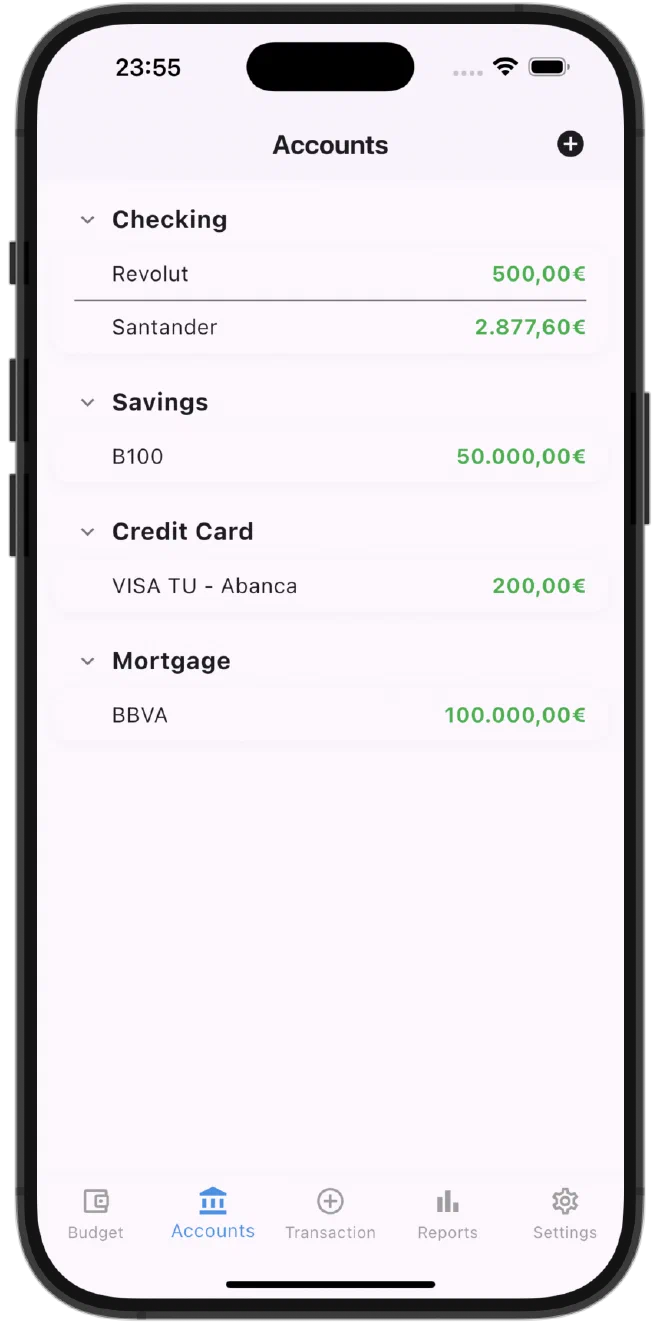
Add your checking and savings accounts, credit cards and loans, or connect your bank to bring in your balances and transactions. Dreambudget groups them by type, so you can see all of your money in one place before you plan anything.
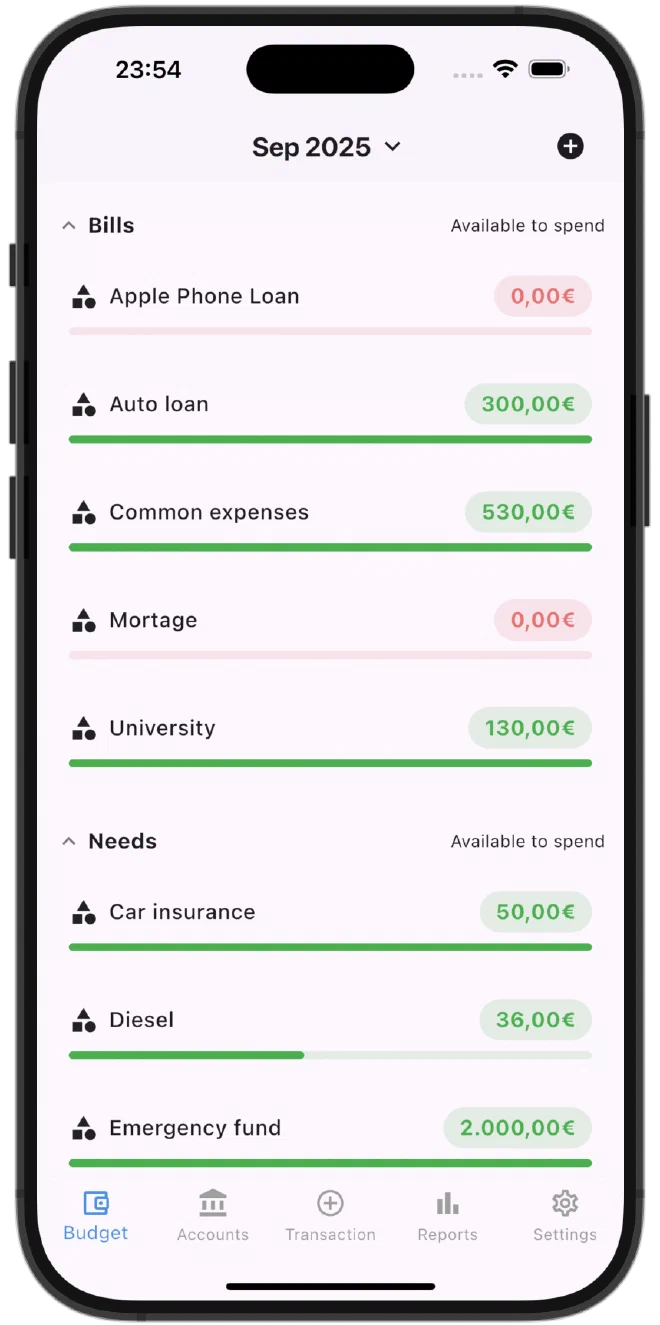
Create a category for each thing you spend on, like rent, groceries or car insurance, and group them, for example into Bills and Needs. Then assign each category the amount you plan to spend this month. That amount is the category's budget.
Each category then shows how much is still available to spend, and its bar shrinks as you spend:
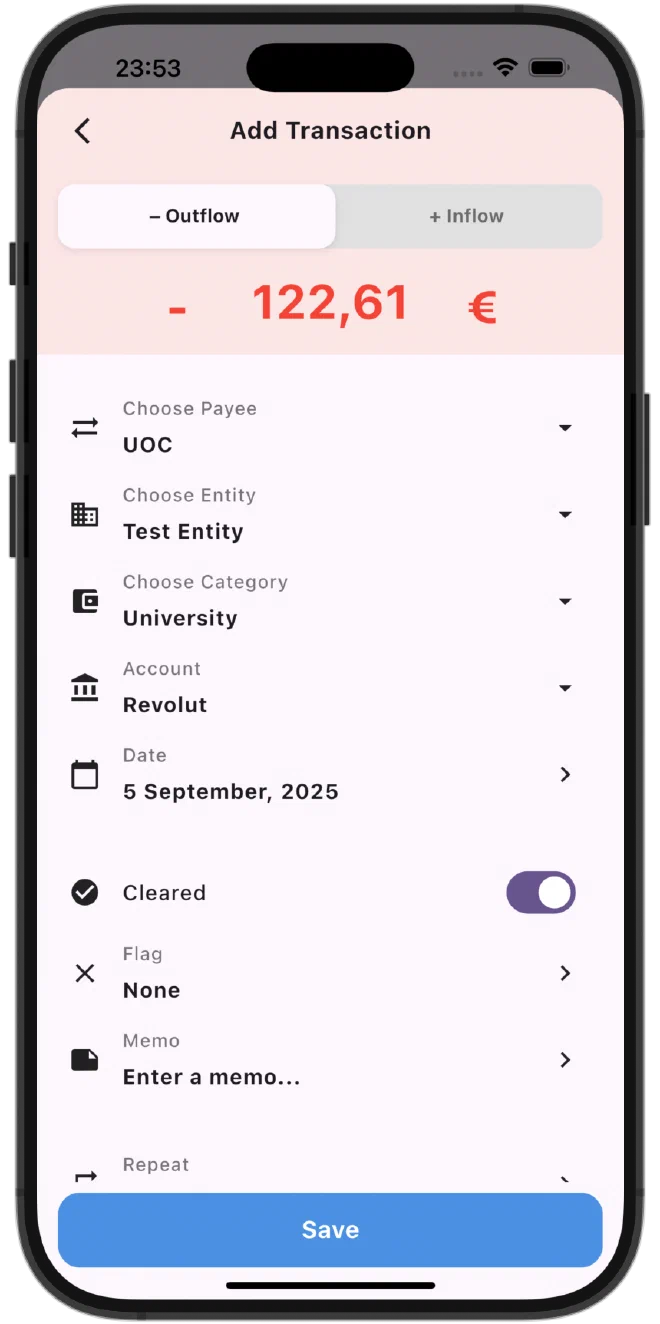
Whenever money goes out or comes in, add a transaction: the amount, who you paid, the category and the account. The category's available amount updates straight away. If your bank is connected, sync it to bring in the transactions instead of typing them.
Spent more on groceries than you planned? That's normal, and it doesn't mean the budget failed. Move money from a category that still has some left to the one that ran short, or change how much a category has assigned. Your plan stays honest without starting over.
Some costs don't come every month, and some things take a while to save for. Two tools help with those.
Tell a category what it needs, like "I need 300€ every month", or a total by a certain date. Set them weekly, monthly, yearly or on a custom schedule, so you know what each category should get.
Set money aside inside an account for something specific, like a holiday or a new laptop. If your priorities change, move money from one piggy bank to another.
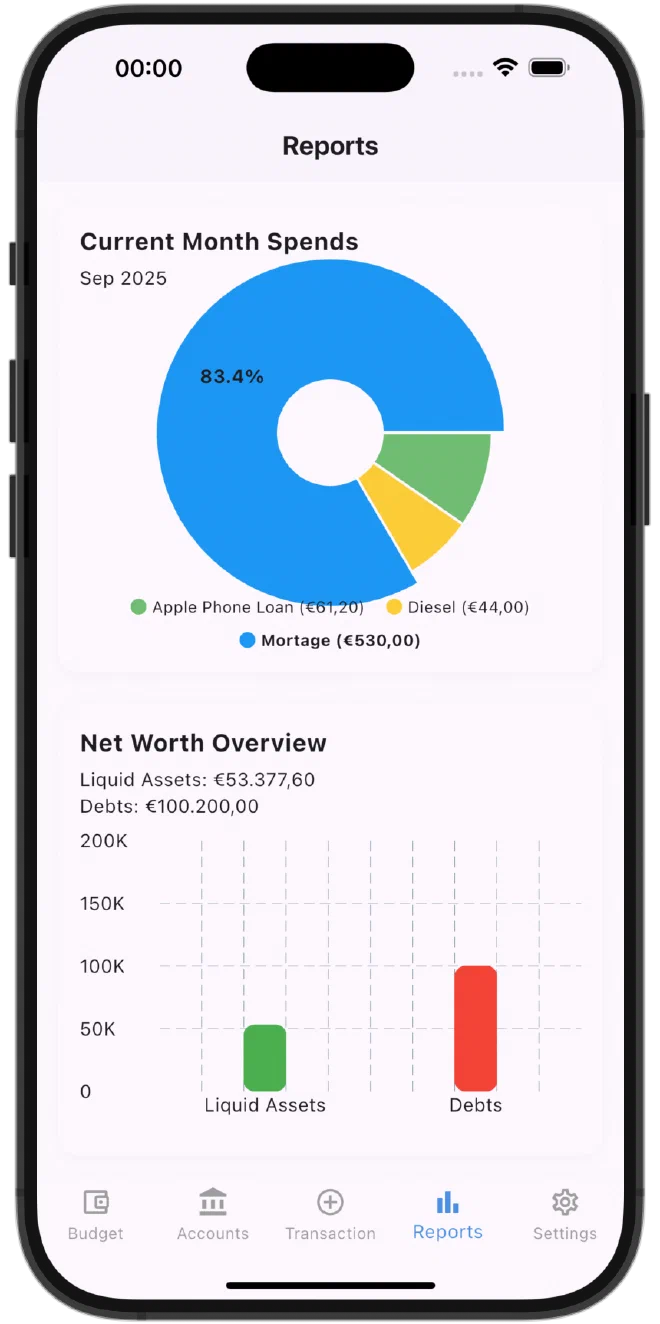
Reports show where this month's money went, category by category, and how your net worth looks once your debts are taken into account. Use what you learn when you assign next month's budget: more where you always run short, less where money is left over.
Give each category what you plan to spend.
Add or sync every transaction as it happens.
Move money between categories when plans change.
Check the reports and plan the next month.